

Editor Thruk Plugin
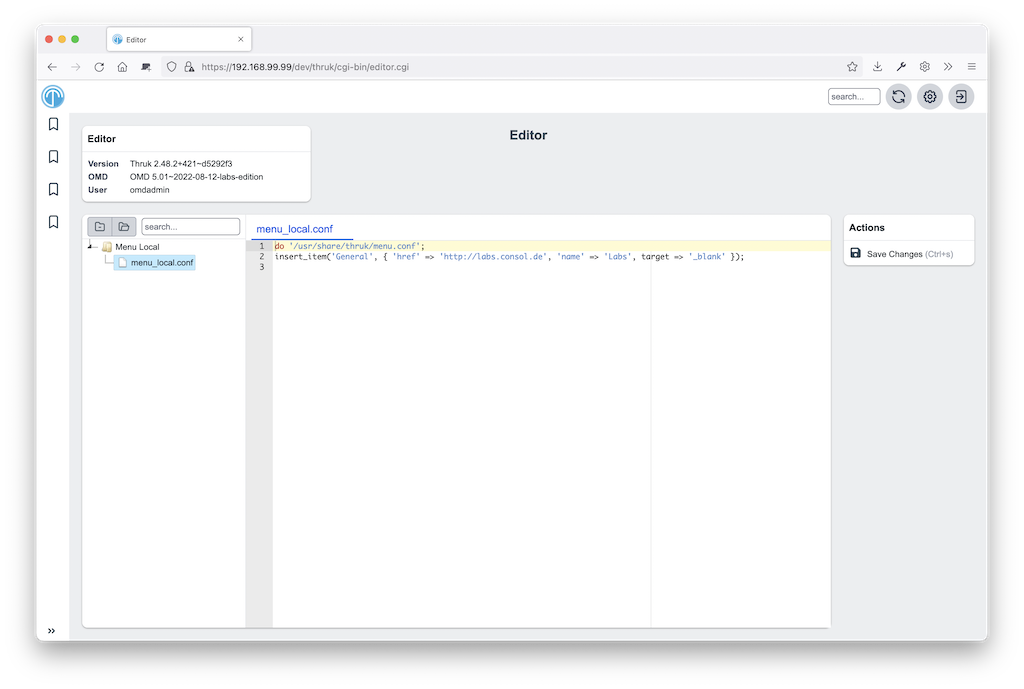
This plugin allows you to edit text files.
Installation
These instructions assume you use OMD (omd.consol.de).
Thruk includes this core plugin. To enable it, run thruk plugins enable editor or use the plugins section in the config tool.
Check that System -> Editor appears in the menu.
Configuration
Define which text files users can edit. Create this file:
~/etc/thruk/thruk_local.d/editor.conf.
For example:
<editor>
  name   = Menu Local
  groups = Admins,Superadmins

  <files>
    folder = etc/thruk/
    filter = menu_local\.conf$
    syntax = perl
    action = perl_editor_menu

    # hooks which will be executed before or after saving a single file.
    #pre_save_cmd        =
    #post_save_cmd       = ./examples/config_tool_git_checkin
    #show_summary_prompt = 1   # enable/disable summary prompt if hooks are set
  </files>
</editor>

<action_menu_actions>
  perlsyntax   = /usr/bin/perl -Mstrict -wc
</action_menu_actions>
Reload Apache to activate changes from thruk_local.d.
Authorization
To control access, use groups as shown above or put editor sections in a Group block:
<Group Admins>
  <editor>
    name   = Business Process
    <files>
      folder = /etc/thruk/bp/
      filter = \.pm$
      syntax = perl
    </files>
  </editor>
</Group>
Syntax Highlighting
Available syntax highlighting modes are listed as mode-* files in https://github.com/sni/thruk/tree/master/root/thruk/vendor/ace-builds-1.4.12/src-min-noconflict
Common syntax modes are:
- sh
- perl
- python
- ini
- naemon
- nagios
Actions
To add a syntax check action, create this file:
~/etc/thruk/action_menus/perl_editor_menu.json.
With this content:
[
  "-",
  {"icon":"fa-spell-check",
    "label":"Syntax Check",
    "action":"server://perlsyntax/$TMPFILENAME$"
  },
]
Action Scripts / Hooks
Action scripts can perform any task, such as syntax checks or activating changes. Thruk displays their output in a popup. Exit code 0 makes the popup green. Any other exit code makes it red.
A pre_save_cmd script exiting other than 0 will cancel the current save attempt.
Macros
The editor plugin provides some extra macros.
$FILENAME$contains the path to the open (unsaved) file.$TMPFILENAME$contains the path to a temporary file with the current (unsaved) content changes. Use this macro for syntax checks or similar.
Environment
The editor plugin sets extra environment variables for pre/post hook scripts. Use them, for example, to create git commits automatically.
$THRUK_EDITOR_FILENAMEsame as$FILENAME$in macros.$THRUK_EDITOR_TMPFILENAMEsame as$TMPFILENAME$in macros (only available in pre script).$THRUK_EDITOR_STAGEcan be either 'pre' or 'post'.$THRUK_SUMMARY_MESSAGEset from user input (popup on save).$THRUK_SUMMARY_DETAILSset from user input (popup on save).